
Visualizing Metagame in Slots: Progress Bars, Badges, and Tournament UI
When a player advances in a tournament or grabs three out of five items, the game needs to make that obvious right away. That’s why you’ll see progress bars, counters, badges, and leaderboards in slots. These features highlight progress, but they can’t block the reels or cover up the buttons. The whole point is to let players know where they stand and what to do next – no instructions needed.
Why metagame visualization drives long-term player retention in slots
The metagame sets up goals that go beyond a single spin – things like collections, new levels, or tournaments. For players to stay interested, they need to see exactly where they stand and what’s left to reach their next milestone. That’s the real point of showing metagame progress in slots. Letting players track how many pieces they’re missing or how many more points they need for a reward. These retention features actually work only when they make sense in the context of the game, not just because they look flashy.
How do visual progression systems impact session length and LTV?
The effect of visual progress on session length is judged by whether the number of spins and time spent in the game change. The visual feedback loop may also affect how often players come back, and therefore LTV. To tell the effect of the interface apart from that of other mechanics, the results are compared when testing different designs.
Designing responsive progress bars and collection meters
In slot game progress bar design, there isn't one format for all mechanics. For some goals, a bar with its current value is enough; others need stages or separate item counters. If a collection consists of different items, individual slots show which ones have already been collected. The choice of format depends on the number of conditions and how the player completes each stage.
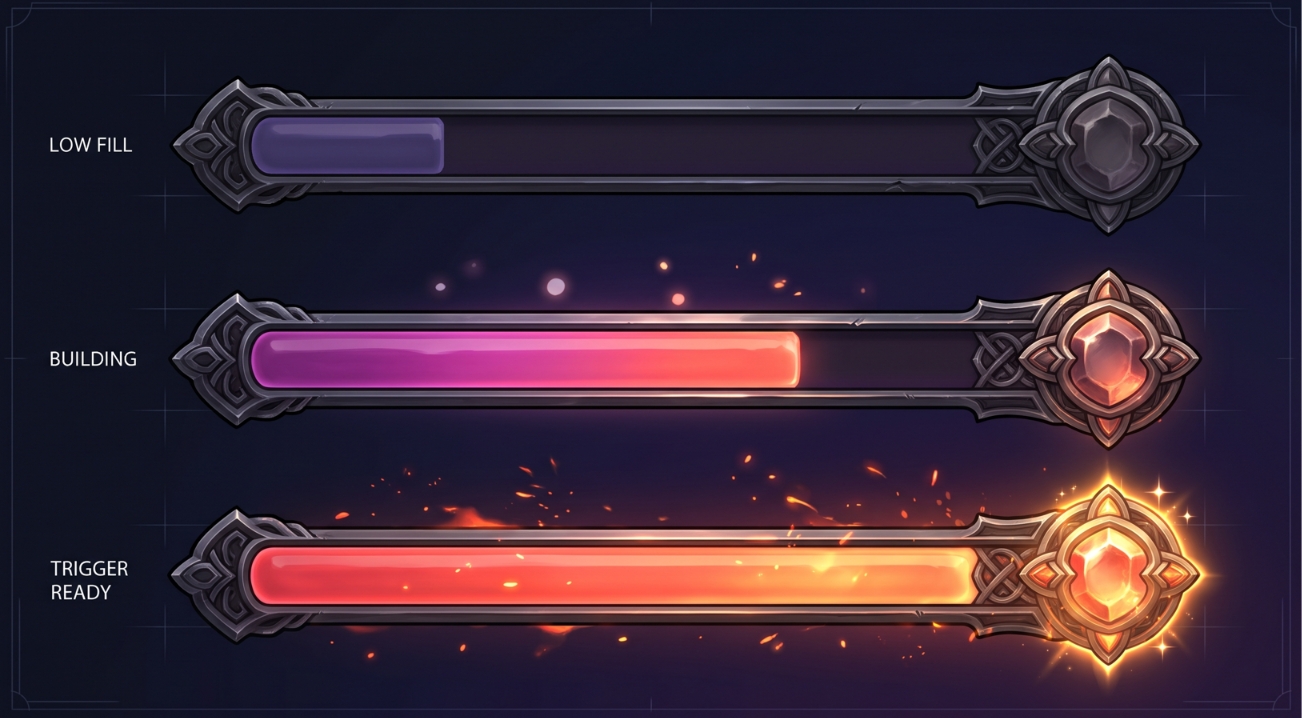
What makes a slot progress bar feel rewarding before the feature triggers?
The bar's visual response can grow stronger as the target gets closer: glow shaders, small UI shakes, and particles are used for this, and their intensity can rise as the bar fills. Reward anticipation VFX build expectation of a reward but should not get ahead of the game event itself. Once the condition has been met, the interface shows the bonus activation separately. In collections, animation accompanies an item appearing, a counter update, or a completed set. Collection meter animations should distinguish these events from one another, rather than use the same effect for every change.
How to balance screen real estate between core reels and metagame meters?
The reels take up most of the play area, so it's best to keep only the essential metagame indicators. For example, current progress can stay visible, while the full item list opens separately. This approach to screen real estate optimization helps avoid overloading the main screen with extra information. On mobile devices, you also need to check whether the panels cover the reels or control buttons.
Crafting achievement badges, tokens, and loyalty tier icons
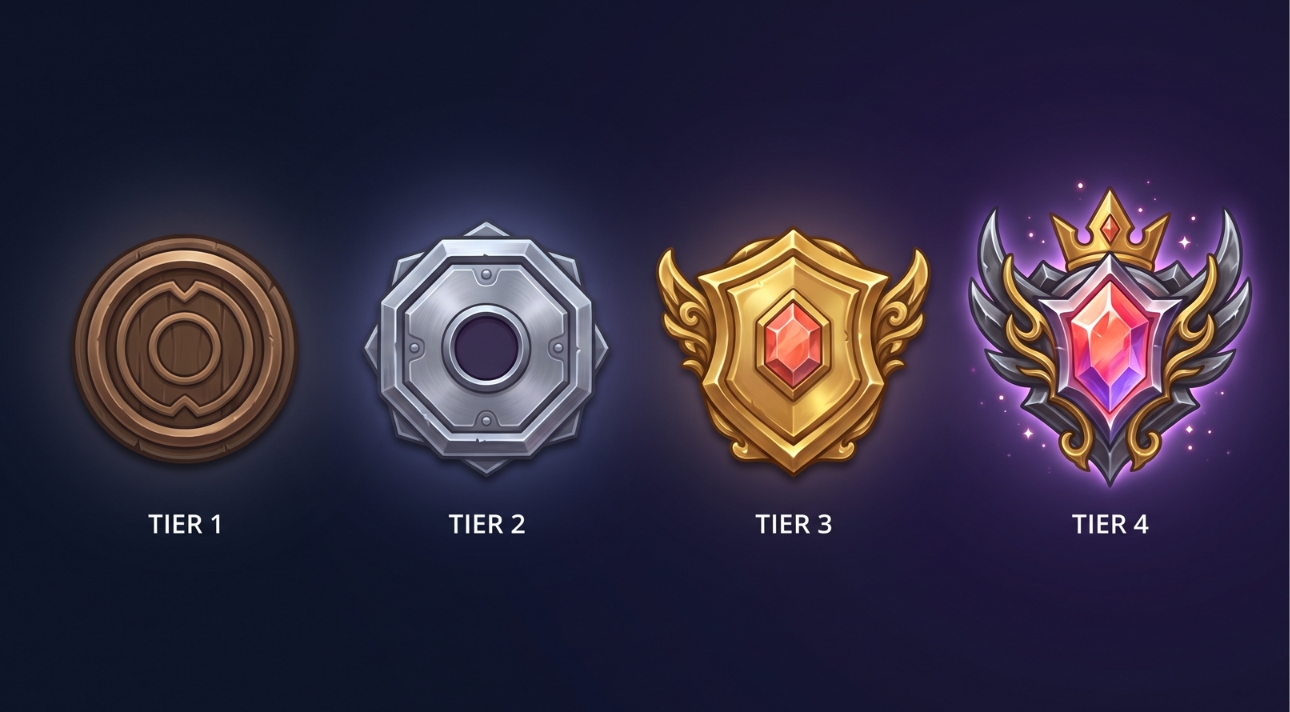
Achievement badges, tokens, and loyalty tier icons should look different enough for the player to recognize the type and level of a reward without reading a description. In casino game achievement badges art, different shapes, colors, materials, and textures are used: wood or bronze for the early levels, silver and gold for the next ones, and precious metals and crystals with an animated glow for the highest. These visual differences should remain clear even when the badges are shown at a smaller size on screen.
Why does clear icon hierarchy matter for multi-tiered slot rewards?
A clear badge hierarchy is needed so the player can see a reward's value right away, even on a small mobile screen. Color alone doesn't work here — shades often blend together in small icons. That's why, in gamification UI elements, color is always backed up by shape, a contrasting border, or detail. Badges at different tiers can share a base, but higher statuses have a more complex silhouette, different materials, and micro-animation. This makes it easy to add new rewards to the system without rewriting the overall visual rules.
Structuring tournament UI and live leaderboard overlays
In slot tournament ui design, the competition results need to be shown so the player can follow their position and keep playing. To do this, a compact block can show the current place, points, and changes in ranking. It's better to open the full participant list separately, so it doesn't keep taking up space next to the reels.
How to display real-time tournament rankings without disrupting spin flow?
The tournament ranking should update with the game results, but it shouldn't demand attention after every spin. An in game leaderboard overlay can show the current position and changes in points without opening the whole participant list. For example, a climb of several places can be marked by a brief movement of the row or a change in the indicator's color. It's better to have a separate message with the result when the tournament ends. All these updates should happen without blocking the controls.
Cross-platform scaling: Adapting metagame HUD for mobile portrait mode
In portrait orientation, there is less space for the reels and metagame elements, and part of the interface needs to be used with one hand. Portrait mode ergonomics means text stays readable, buttons are easy to tap, and extra widgets don't get in the way of using the bet and spin controls.
Our UI/UX Design services include adapting interfaces for different devices. For a thumb zone layout, elements are placed based on how the player holds their smartphone:
- The spin and bet buttons are placed within easy reach of the thumb.
- Metagame indicators and tournament widgets are placed higher up, so they don't take up space meant for the main buttons.
- State transitions in Spine 2D are set up so changes between badge and indicator states look smooth and display correctly on a narrow screen.
This keeps the interface easy to use in portrait mode.
Elevate your slot retention metrics with custom metagame UI from Paintpool Studio
Need a metagame interface for a new slot or an update to an existing game? Paintpool Studio will develop UI, iconography, and Spine 2D animation for progress, collections, rewards, and tournaments. Order Slot game art services to bring these mechanics into one style, taking your game's specifics into account. Tell us what you plan to build, and we'll help turn the idea into an expressive game interface.


